poe2 merchant tabs not showing up? Here’s what’s really happening
Many players panic when they notice their poe2 merchant tabs not showing up after a purchase or upgrade. This article breaks down why this happens, how to fix it fast, and how to keep your trading smooth while you sort things out, including a safe way to buy items on MMOmax.
Why poe2 merchant tabs not showing up is so common
In Path of Exile 2, merchant tabs work differently from normal stash tabs, so it is easy to think something is broken when you do not see them where you expect. Many players assume the new tab will appear directly in the regular stash interface, but merchant tabs are actually accessed through specific NPCs and quest progress. On top of that, platform quirks, upgrade rules, and league settings can all make poe2 merchant tabs not showing up look like a bug even when the system is working as designed.
Where merchant tabs really appear in PoE2
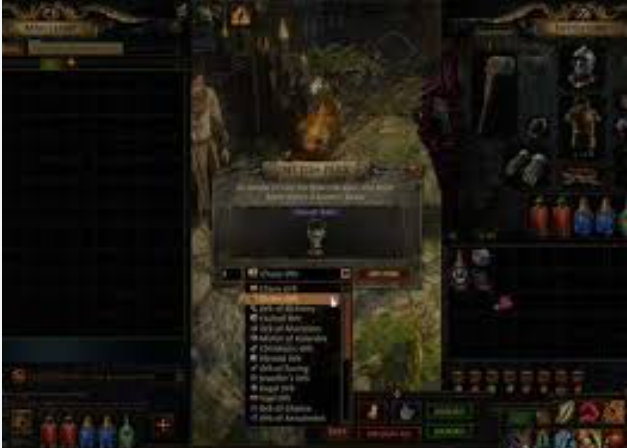
When you see poe2 merchant tabs not showing up in your stash, the first thing to understand is that they are not meant to appear as standard stash tabs. In Path of Exile 2, you access your merchant tabs by talking to the NPC Ange in Act 4 and later via the “Manage Shop” option in your hideout once she is unlocked. Some players also need to complete specific quests, such as the Act 4 quest “Hostile Takeover” and unlocking the shoreline hideout, before the NPC and merchant features become fully available. If these steps are not done, it will often feel like poe2 merchant tabs not showing up is a hard bug, when the actual problem is progression.
Practical fixes when poe2 merchant tabs not showing up
If your poe2 merchant tabs not showing up properly, try these straightforward checks before you assume your purchase is lost.
- Confirm campaign and quest progress: Make sure you have reached Act 4 and completed Ange’s related quest, and check that “Hostile Takeover” is finished if merchant options are missing.
- Unlock the hideout and Ange: After finishing the relevant side quest and unlocking the shoreline hideout, look for Ange there and check for a “Manage Shop” or merchant option.
- Use the correct access point: Open the merchant interface via Ange instead of searching for a new tab directly in the stash; this is where merchant tabs are actually managed in PoE2.
- Relog and restart: Some players report that logging out and back in, or fully restarting PoE2, helps the game recognize newly purchased or upgraded tabs when poe2 merchant tabs not showing up at first.
- Check your league type: If you are in a Solo Self-Found (SSF) league, regular player-to-player trading is disabled, which can make merchant usage and listings appear broken even when the tab is technically there.
- Review upgrades and conversions: There are limits and rules around which premium stash tabs can be converted to merchant tabs, so older or previously converted tabs may not be eligible, causing confusion when poe2 merchant tabs not showing up as expected.
If none of these steps resolve the issue, it may be a genuine account or platform bug, and contacting support with your purchase details and screenshots is the safest next move.
Real player feedback on poe2 merchant tabs not showing up
Many community posts show that poe2 merchant tabs not showing up is affecting players across different platforms. For example, one forum user reported buying two merchant tabs and seeing nothing appear in their stash, until other players explained that PoE2 merchant tabs are accessed via the merchant NPC rather than the stash screen. Another Steam user could see their merchant tab only on the website and not in-game, and other players suggested that they may have missed a key side quest in Act 4 and needed to unlock Ange in their hideout. Reddit discussions also mention frustration about upgrade limits, where players with many premium stash tabs could only convert a small number, leading them to believe poe2 merchant tabs not showing up correctly was a store issue. On social platforms, some console players even mention upgraded tabs vanishing or becoming “remove-only,” which adds to the feeling that the system is unstable.
Why consider MMOmax while you troubleshoot
When poe2 merchant tabs not showing up blocks your in-game trading, it can slow down gearing and currency flow just when you want to progress. While you work through NPC unlocks, quest checks, or support tickets, you can use external platforms like MMOmax to keep your character moving forward with safe purchases of game-related items and currency. On MMOmax (https://www.mmomax.com/), players can buy MMO currencies and items for various online games, with a focus on secure transactions and quick delivery, which helps reduce downtime caused by in-game system issues. Using a trusted marketplace lets you offset the impact of poe2 merchant tabs not showing up by ensuring you still have access to gear, crafting materials, or currency while the internal merchant system is being fixed.
How MMOmax fits into your PoE2 trading routine
If poe2 merchant tabs not showing up is disrupting your trading strategy, MMOmax can act as a backup route for progression-focused players. Instead of waiting for merchant issues to resolve, you can visit https://www.mmomax.com/ to explore game item offers that help you maintain farming efficiency, boss readiness, or crafting plans. The idea is not to replace the in-game merchant system, but to give you a stable external option during times when PoE2 upgrades, conversions, or stash interactions are unreliable. Over time, many players combine in-game trading with third-party marketplaces to balance convenience, time investment, and progression speed, especially in a complex ARPG like Path of Exile 2.
Final tips and call to action
If you find your poe2 merchant tabs not showing up, first verify your quest progress, NPC unlocks, and league settings, then relog and double-check the merchant interface instead of only looking at your stash. When things still look wrong after that, community threads and official forums suggest reaching out to support and sharing details of your purchase and progression so they can investigate possible bugs or account-specific problems. Meanwhile, to keep your Path of Exile 2 journey smooth and avoid getting stuck on gear or currency, you can visit MMOmax at https://www.mmomax.com/ to browse secure item and currency options that complement your in-game trading.
